Lock In so game day works offline
Fields have terrible signal. So before the game, GameDay DJ has you Lock In. It downloads and verifies every intro and song snippet to your phone so the entire game plays back instantly, fully offline.
How to Lock In
- 1
Open Game Day for your team
On the Game Day tab, select the team you're coaching today.
- 2
Tap Lock In
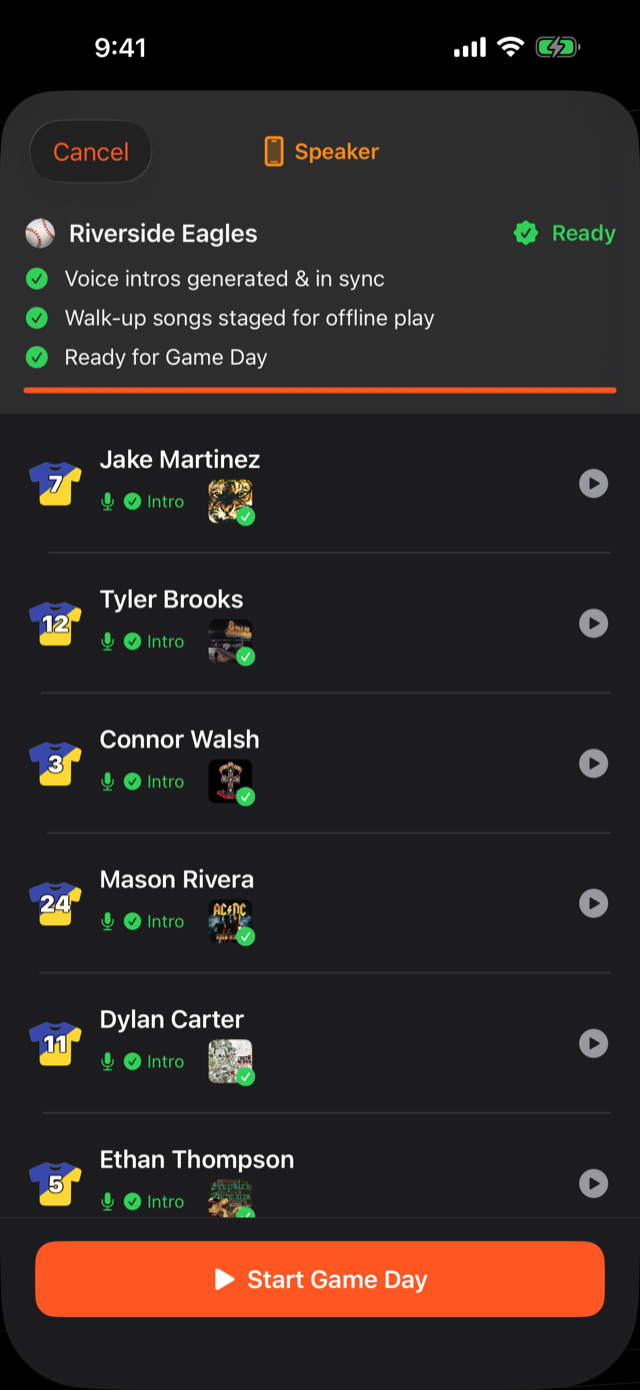
GameDay DJ runs a Pre-Game Check, confirming every player's intro and song are downloaded to the device.
- 3
Wait for the all-clear
When everything's staged, you're marked ready. Do this while you still have signal. The parking lot is perfect.
What works without signal
After a completed Lock In, the entire game-day loop (tapping a batter, hearing their intro, the walk-up song, between-innings music, sound effects) runs in airplane mode. No network call touches the play button. Online-only features (sharing, sync, cloud backup) pause gracefully and resume when you're back on signal.
The staged audio stays on your device. It doesn't expire mid-game or between games. Re-Lock-In after you change a roster or song so the new audio is bundled.
Was this article helpful?