Between-innings music mix
Tap a vibe and GameDay DJ auto-mixes a crossfading bed of music to fill the dead air between innings, and steps aside the moment a batter steps up.
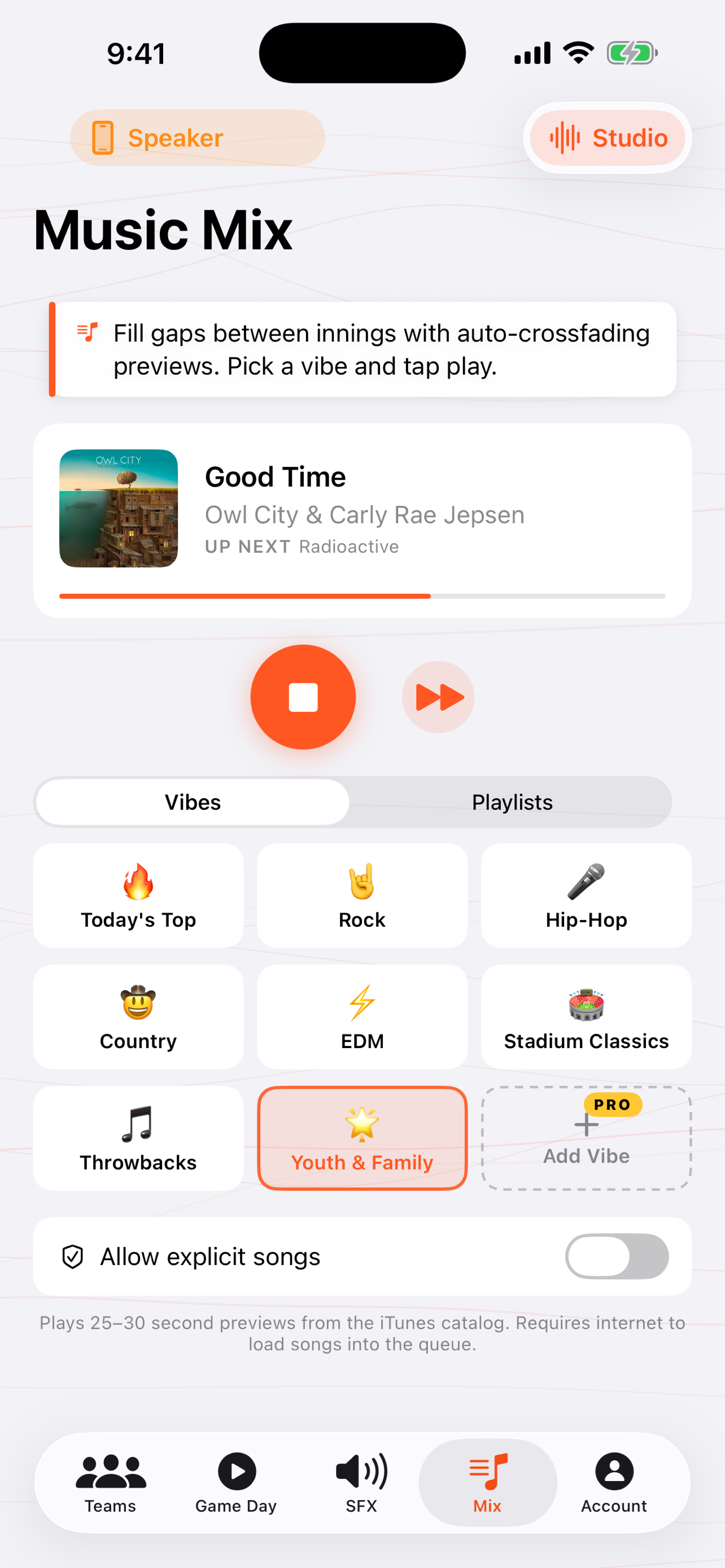
When you'd use this: the three minutes between innings when the field's changing over and the dugout's quiet. Instead of dead air, you get stadium energy, without you babysitting a playlist.
Start a mix
-
1
Open the Mix
From Game Day, open the between-innings Music Mix. It's separate from the per-batter walk-up songs. This is the bed that fills the gaps.
-
2
Tap a vibe
Pick one. Hype, 80s Rock, Country, Hip-Hop, walk-off bangers, throwbacks. The app pulls a curated set for that vibe and starts mixing. Country actually plays country; it's not an algorithm's loose guess.
-
3
Let it run
Tracks crossfade into each other for continuous energy through the whole inning break. Sound effects duck the mix when you fire one, then it comes back up.
-
4
It steps aside automatically
The second you tap a player's walk-up song or grab the Live Mic, the mix ducks out of the way, then picks back up when you're done. You don't have to stop it manually.
Build your own vibe
Want something the built-in vibes don't cover? Describe a mood in a sentence ("late-game tension," "victory lap," "rec-league chill") and the app curates a 100-song mix built for it. Your custom vibes sit alongside the built-in ones, ready to tap next game.
Troubleshooting
There's a gap of silence between songs at the field
That's almost always weak cell signal. The next track hadn't buffered in time. A recent update prefetches the next song during the current one to close that gap. For the smoothest mix on a bad-signal field, stay on the strongest connection you can while the mix is running; the per-batter walk-ups are the part that's fully offline after Lock In.
Do I need a music subscription for the mix?
No. The mix plays 30-second tracks from a public music catalog, no music subscription required.
The same songs keep repeating
Fixed in a recent update. The mix now remembers what it has recently played and avoids repeating within a session. If you're seeing repeats, accept the latest version.
"Today's Top" feels out of date
Also addressed recently. The chart now pulls Apple's live most-played feed, and the genre vibes filter toward recent releases instead of decades-old catalog tracks. Update to the newest version if a vibe feels stuck in the past.
The mix played over a player's walk-up
It shouldn't. Tapping a walk-up song ducks the mix automatically. If it didn't, make sure you tapped the player's tile (not just the mix transport), and update to the latest build. If it persists, send details from Account → Report a Bug or Request a Feature.