Import your own audio
Have your own clip (a custom intro, a hype track, a chant) you'd rather use instead of a catalog preview? Add it in My Studio → Imports, either by picking the file off your phone or by emailing it to import@getgamedaydj.com. Either way it lands in the same place, ready to assign to any player.
Add a file from your phone
The fastest way, and it works the same on iPhone and Android.
- 1
Open My Studio
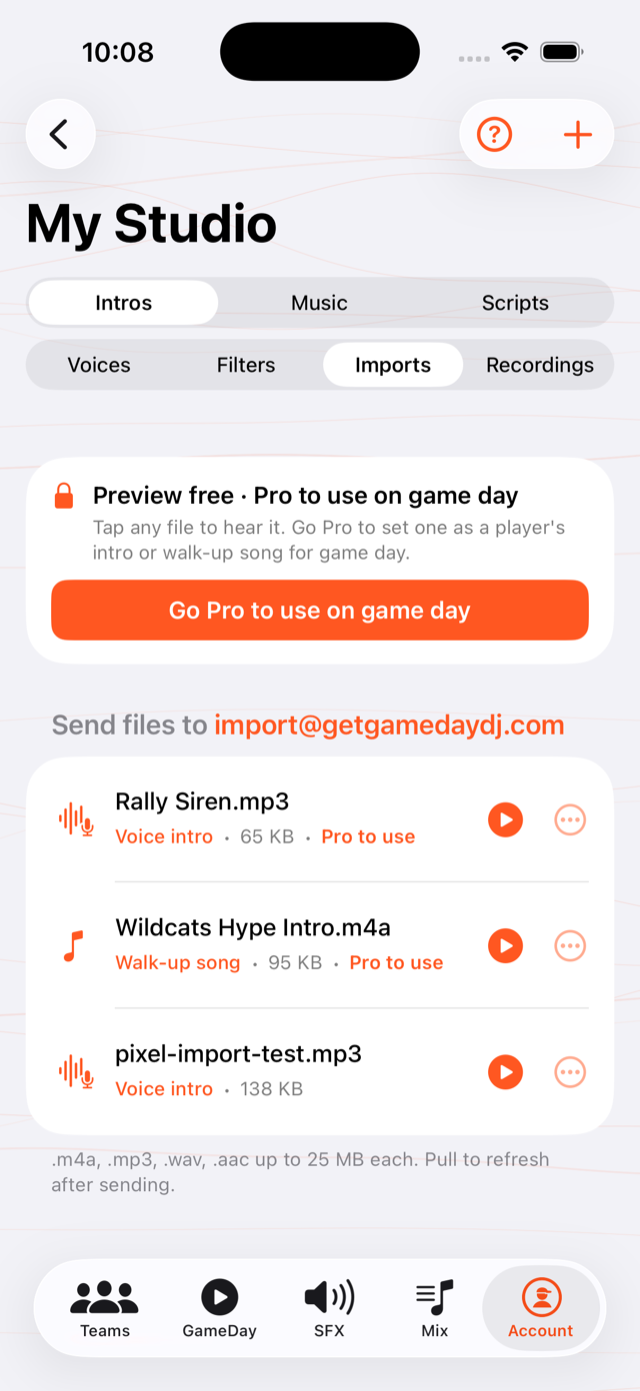
Tap Account, then Studio at the top of the screen. Choose the Imports tab.
- 2
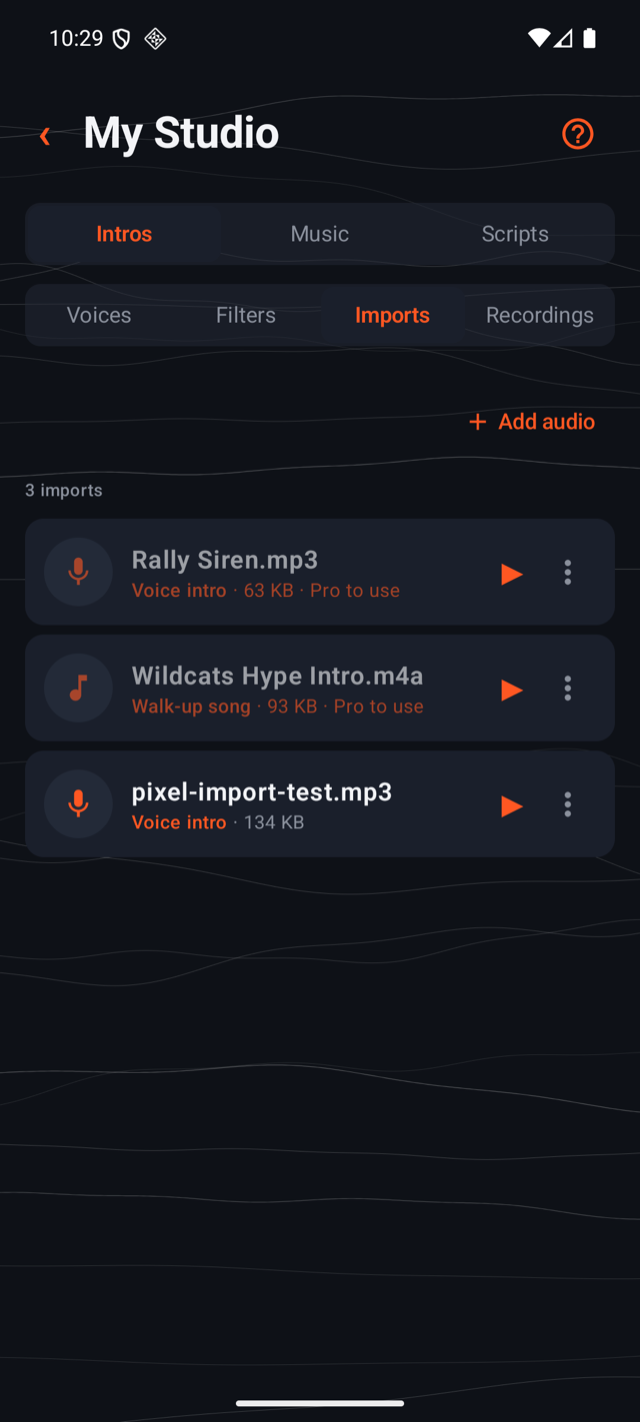
Tap Add audio
It's the + at the top of the Imports list, or the big Choose a file button if this is your first import.
- 3
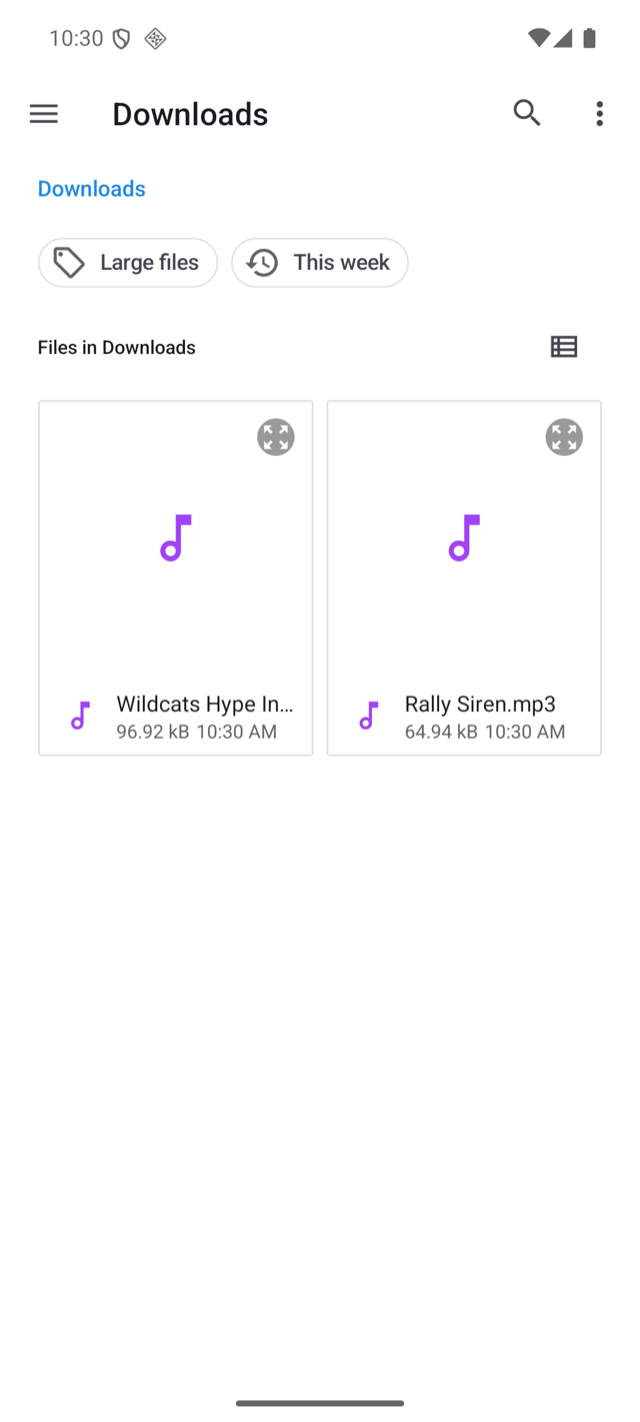
Pick the file
Your phone's own file browser opens. Find the clip (Downloads, Files, wherever you saved it) and tap it. It uploads to your account and appears in the list.
Signed in? That's all it takes. The file goes to your own account, so it can't land in anyone else's Studio.
Or email the file in
Email still works, and it's the better path when the clip is on your computer instead of your phone. Send it to import@getgamedaydj.com from the address you sign in with, then pull down to refresh the Imports tab.
This is the part people miss: you have to attach the actual audio file, the thing you'd see in your Files app or Voice Memos, ending in .m4a, .mp3, .wav, or .aac.
A link won't work. If you copy a song's share link from a streaming app or music store and email us that, there's no file for us to import. A streaming link points at music we're not allowed to download or play on your behalf. We can only use a file you actually own and attach.
- ✅ Do: attach
walkup.mp3(a real file) to the email. - 🚫 Don't: paste a
music.apple.com/open.spotify.com/youtube.com/ store link and send it with no attachment.
If you'd rather pick a track from the catalog instead of importing your own, you don't need email at all. Search the built-in catalog in the app. See Play walk-up intros and songs.
What's supported
- Formats:
.m4a,.mp3,.wav,.aac - Size: up to 25 MB per file
- Length: up to about 10 minutes (walk-up songs, full intros, voice intros, and sound effects all work)
- How many: add them one at a time from your phone, or attach several to one email
Don't have a file yet? Most clips you can record in Voice Memos, export from a recording app, or save from your computer will work. Anything that produces one of the formats above. If you email it, send it from the same address you use to sign in to GameDay DJ so it lands in your account.
Where it shows up
Everything you add lands in Account → My Studio → Imports, whichever way you added it (pull down to refresh if you just emailed one). From there you can preview each file and, when you assign it to a player, pick it as their Intro or Walk-Up Song. Walk-up imports also appear under the song picker's Studio → Imports tab.
Importing and holding files is free; assigning an imported file to a player is a Pro feature. We hold your uploads for 14 days while you decide. See What's free vs Pro.
Each import shows whether we read it as a walk-up song or a voice intro, plus its size. Tap the play button to hear it before you use it.
Was this article helpful?