Stadium sound effects soundboard
Air horn for the home run. Sad trombone for the strikeout. Charge organ for the rally. Fire a stadium sound effect from a single tap, and make your own when you need something specific.
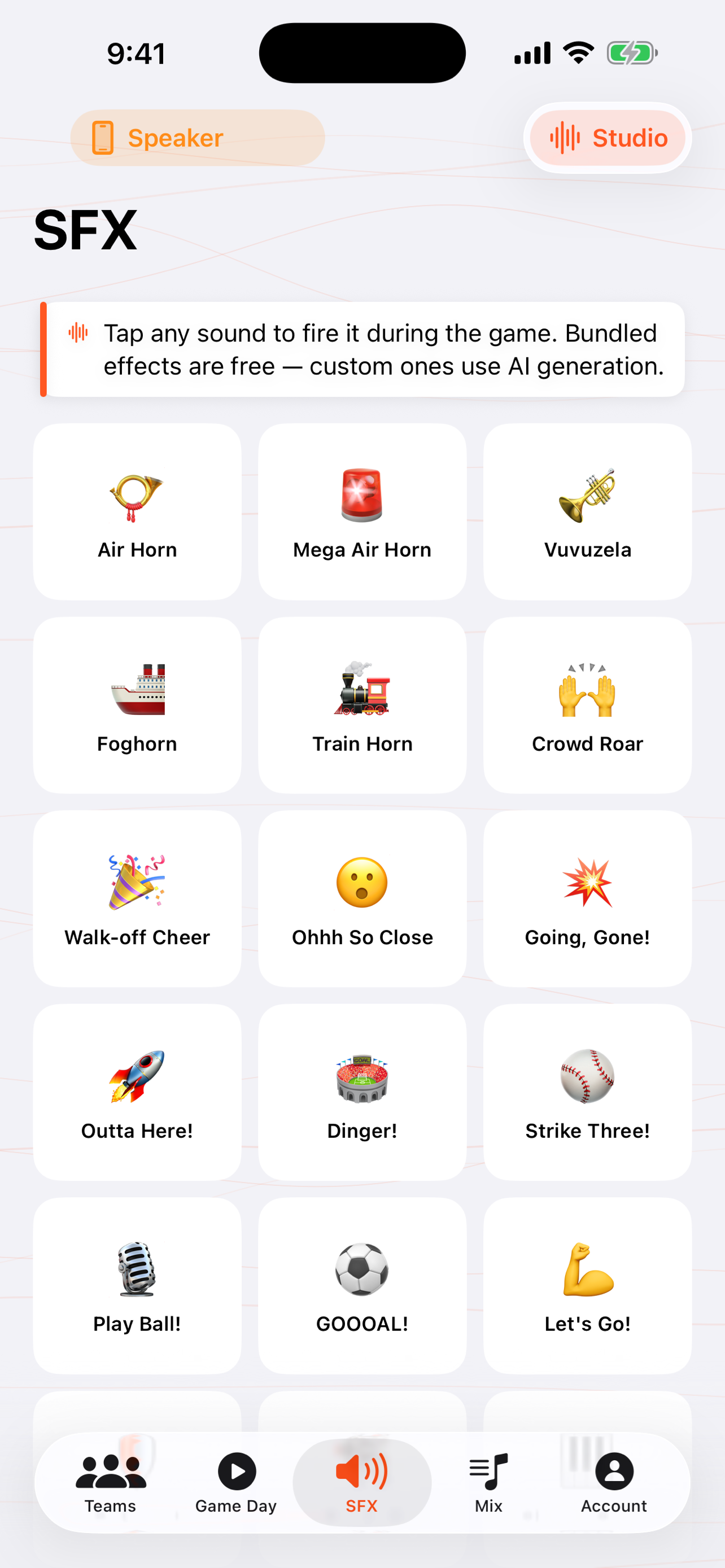
When you'd use this: the big moments. A homer, a strikeout, a bench-clearing scramble, a tense full-count at-bat. A quick tap adds the stadium reaction the moment calls for.
Fire an effect
-
1
Open the SFX tab
You get a board of 20+ bundled stadium effects. Air horn, charge organ, sad trombone, yakety sax, final jeopardy, walk-off cheer, strike three, and more, all tuned to cut through an outdoor PA.
-
2
Tap to play
One tap fires it. If the between-innings music mix is running, it ducks automatically while the effect plays, then comes right back up.
-
3
Long-press to rearrange
Long-press to enter edit mode, then drag your most-used effects to the top or remove the ones you never touch, so your go-to sounds are right where your thumb is.
Make your own sound PRO
Need something the bundled set doesn't have? Describe a sound in a sentence and the app generates it for you, then adds it to your board to tap like any other. Custom sound design is a Pro feature.
Troubleshooting
An effect plays but I can't hear it at the field
Check the audio route on the toolbar. The effect plays through whatever speaker you're connected to. If it's pointed at the phone instead of your Bluetooth speaker, switch it (see Bluetooth & AirPlay). Also confirm the iPhone isn't on silent and the volume is up.
The music didn't come back after an effect
It should restore automatically when the effect finishes. Long effects get their own floating Stop control so you can end them early; once stopped or finished, the mix returns. If it doesn't on the latest build, report it from Account → Report a Bug or Request a Feature.
"Make your own sound" opens the paywall
Custom sound design is part of Pro. The 20+ bundled stadium effects are available to every coach. Only generating brand-new custom sounds needs Pro.
Can I delete the bundled effects I don't use?
Yes. Long-press to enter edit mode and remove anything you don't want cluttering the board. You can keep just your game-day staples.