Claim your player
A coach invited you to the team. Claiming your player lets you choose their walk-up song and intro, and it's free.
Claim your player
- 1
Tap the invite link
Open the link the coach sent. It launches GameDay DJ (install it first if you haven't).
- 2
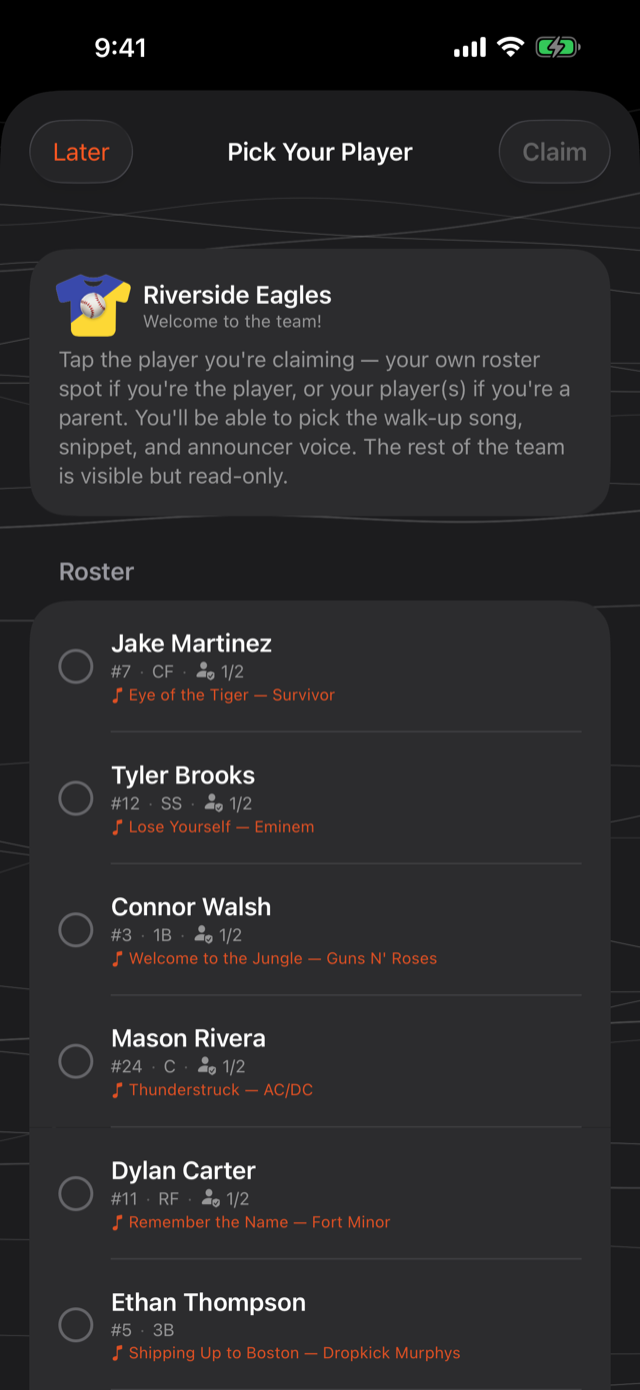
Sign in and pick your player
Sign in with a free account, then choose your player from the roster to claim them.
- 3
Set their walk-up
Pick the song and intro you want. It syncs back to the coach for game day.
Does it cost anything?
No. Joining a team and claiming your player is free. The coach's Pro subscription is what enables sharing in the first place.
Was this article helpful?