Claim your player
A coach invited you to the team. Claiming your player lets you choose their walk-up song and intro, and it's free.
Claim your player
- 1
Tap the invite link
Open the link the coach sent. It launches GameDay DJ (install it first if you haven't).
- 2
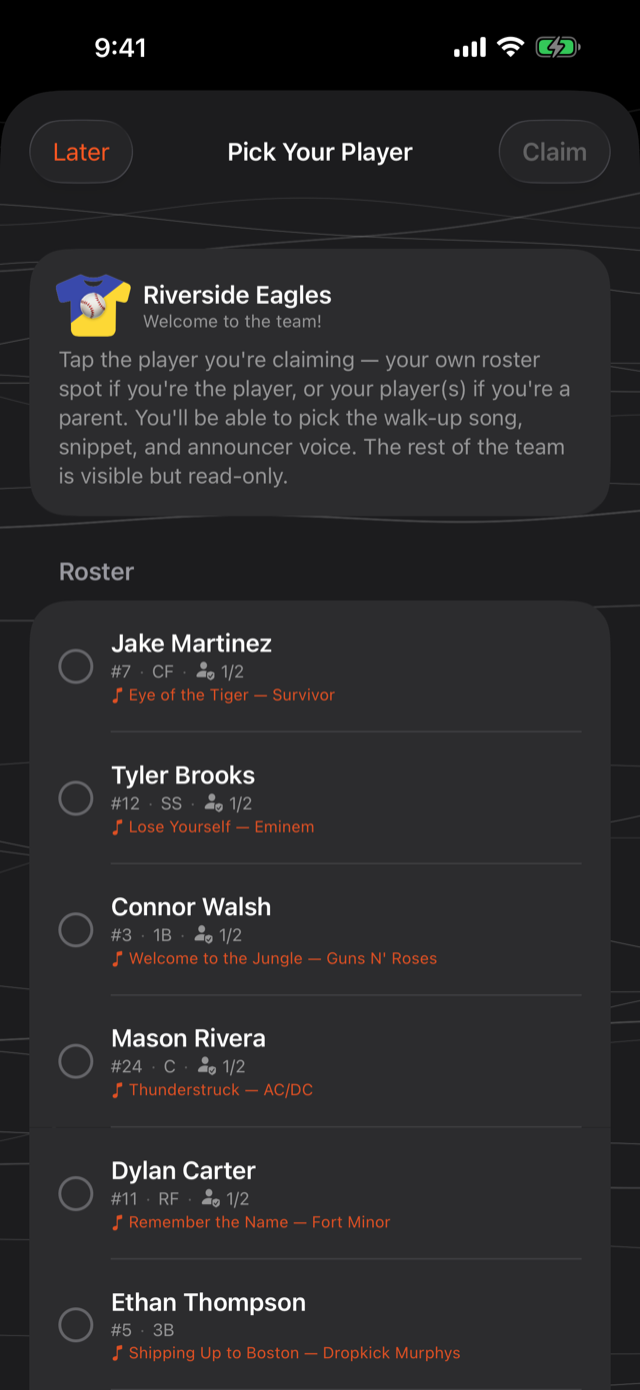
Sign in and pick your player
Sign in with a free account, then choose your player from the roster to claim them.
- 3
Set their walk-up
Pick the song and intro you want. It syncs back to the coach for game day.
No app needed: claim on the web
On a laptop, a desktop, or any phone without the app: open the invite link and choose Claim My Player on the Web, or go to GetGameDayDJ.com/claim and enter the code from your invite. Sign in free in your browser, claim your player, and set their walk-up song, name pronunciation, and announcer voice right there. Everything you set reaches the coach's phone for game day.
Later, sign into the app with the same account and your player is already set up and waiting for you. Recording your own intro in your voice lives in the app.
Does it cost anything?
No. Joining a team and claiming your player is free. The coach's Pro subscription is what enables sharing in the first place.
Was this article helpful?