AI announcer voices
Real broadcast-grade voices that call each player by name. Generated in a few seconds and cached on the player from then on, so they play instantly all season.
When you'd use this: right after you build the roster. Give every kid a stadium intro, then tap Lock In and they're ready for game day.
Give a player a voice
-
1
Open a player and tap the voice row
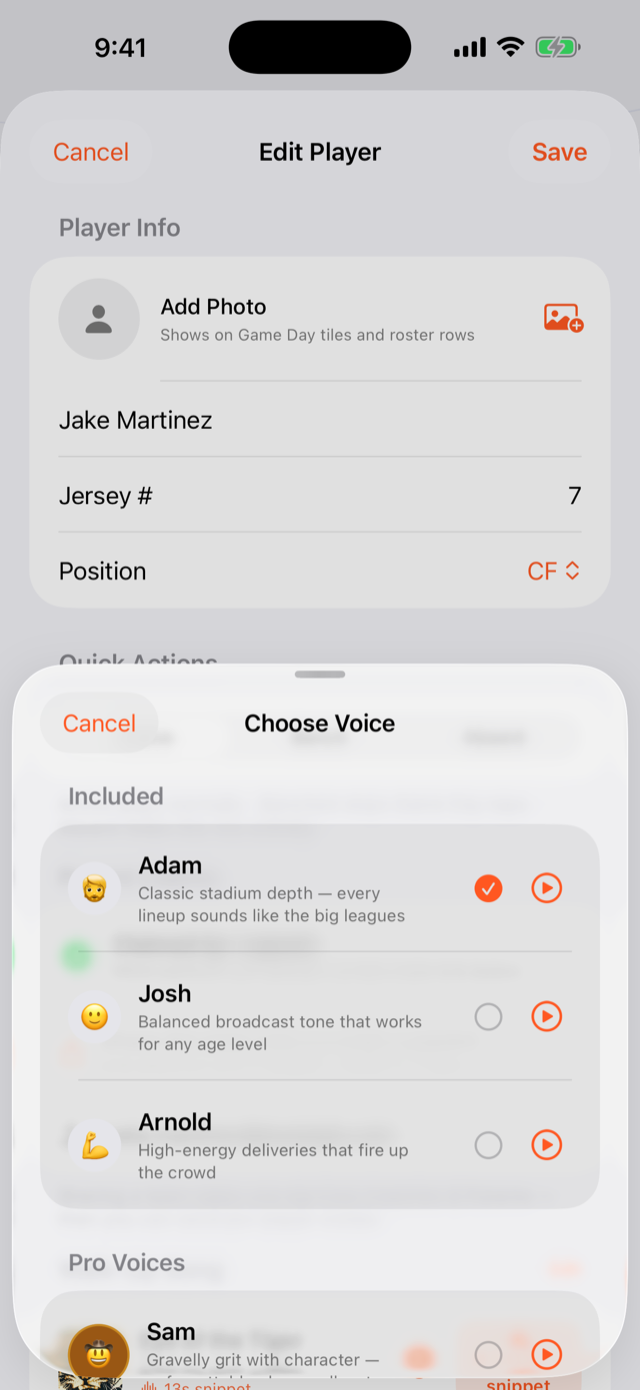
From the roster, open a player and tap the voice row to open Choose Voice.
-
2
Preview and pick
Tap the play button next to any voice to hear it first. Adam and Guy are included free; the Pro voices add more character. Rex Thunder, Titan, Atlas, Ed and a cast of stadium characters.
-
3
Generate the intro
Tap Generate and the intro is ready in about 3–5 seconds. Want to do the whole team at once? Use Generate intros at the team level to fire one for every player.
-
4
Fix any tricky names
Siobhan, Aoife, Nguyen, Joaquin. The pronunciation help handles them, and there's a fix-it field when a name needs a nudge so the announcer nails it.
Write your own intro line PRO
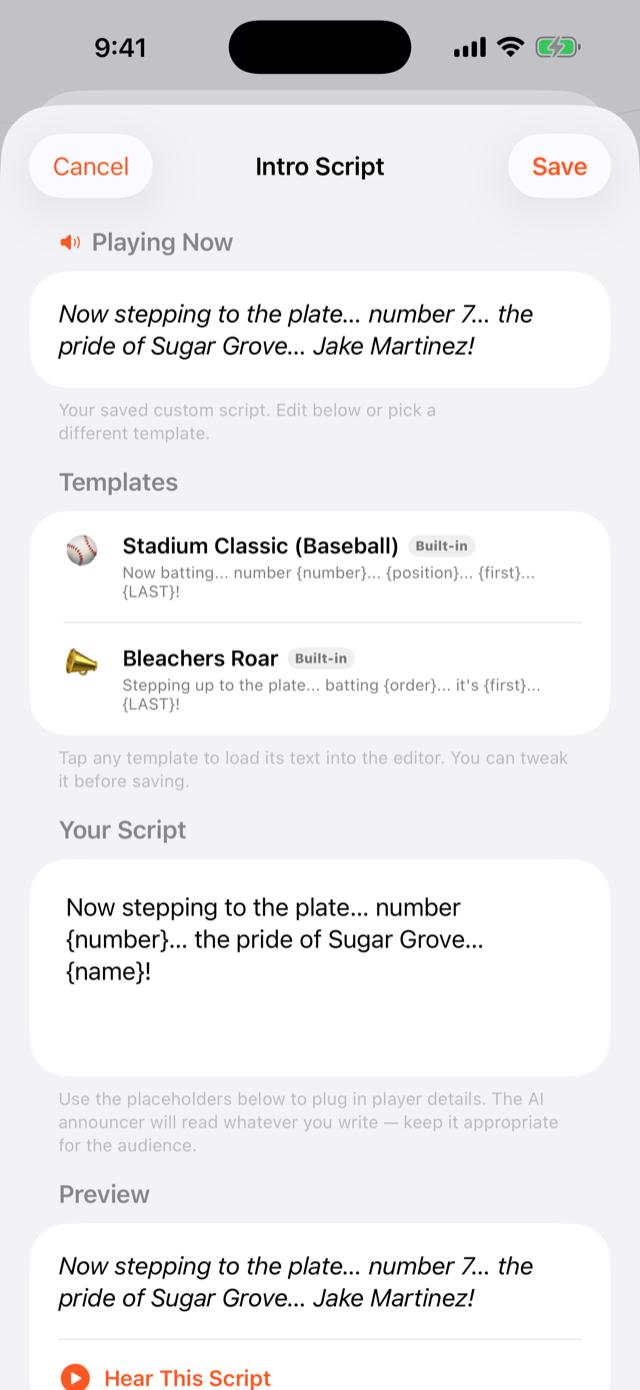
Want a specific cadence? Write the script yourself. Start from a template like Stadium Classic, drop in placeholders for the player's number and name, preview it, and save it to reuse. Writing custom intro scripts is a Pro feature.
Prefer a human touch? A parent or coach can record their own voice as a player's announcer instead. See sharing with parents.
Troubleshooting
The announcer mispronounced a name
Open the player and use the pronunciation fix-it field (spell the name the way it sounds) then regenerate. The new intro replaces the old one and caches on the player.
A voice has a PRO badge / won't let me pick it
Adam and Guy are free for everyone. The more characterful voices (Rex Thunder, Titan, Atlas, Ed, and the character cast) are part of Pro. Upgrade once and they all unlock.
I want to change a player's voice
Open the player, tap the voice row, pick a different voice, and regenerate. There's no limit on re-generating as you dial in the right sound.
Can I use a real person's voice instead of AI?
Yes. A parent or coach can record their own voice as that player's intro, and even run it through a stadium voice effect. The recorded intro plays exactly like a generated one, offline after Lock In.